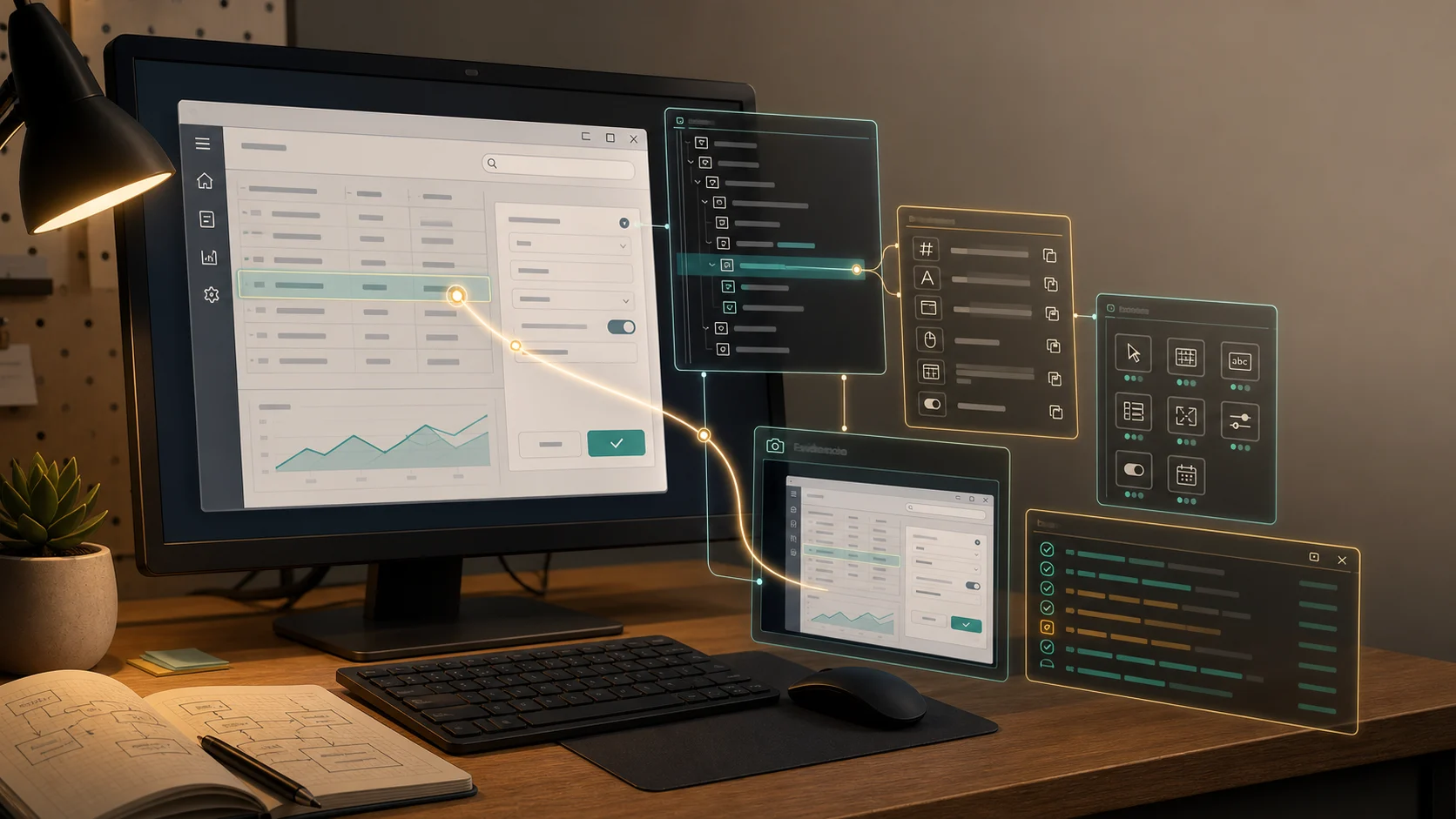
Most agent demos start in the wrong place.
They show the model thinking, calling a tool, editing a file, maybe congratulating itself with the confidence of a CI pipeline that has not run yet. The interesting question is usually hiding just outside the frame:
Who decided what the agent could see?
Who allowed that tool call?
Who kept state between turns?
Who checked whether the work was done?
Who can explain what happened after the run goes sideways?
That surrounding system is the harness.
A prompt can tell an agent what to do. A framework can give you abstractions. A runtime can execute a workflow. A harness is the control system that turns model output into governed work.
It is the rails, gauges, permissions, memory, loop runner, verification gates, and black-box recorder around the model.
The Stack Around The Agent
The word “harness” gets used loosely, so let’s make it useful.
The model generates language and choices. The agent is the model configured for a job: instructions, tools, output shape, maybe a role or policy. The framework gives developers abstractions for models, messages, tools, middleware, and loops. The runtime executes long-running, stateful work: durable execution, streaming, persistence, human-in-the-loop pauses, deployment mechanics.
The harness packages those pieces into a working control surface for real tasks.
LangChain’s current docs draw a similar distinction: frameworks help you build, runtimes help you run long-lived stateful agents, and harnesses add more batteries for autonomous agents, such as planning, subagents, file-system tools, and token management.
The recent paper AI Harness Engineering pushes the idea further for software agents. It argues that capability comes from the model-harness-environment system, not the model alone. In that frame, the harness mediates how an agent observes a project, acts on it, receives feedback, and establishes that a change is complete.
That is the important shift. The harness is where a lot of the engineering actually lives.
The Control-Room Model
Picture an agent on a test range rather than at a cozy desk.
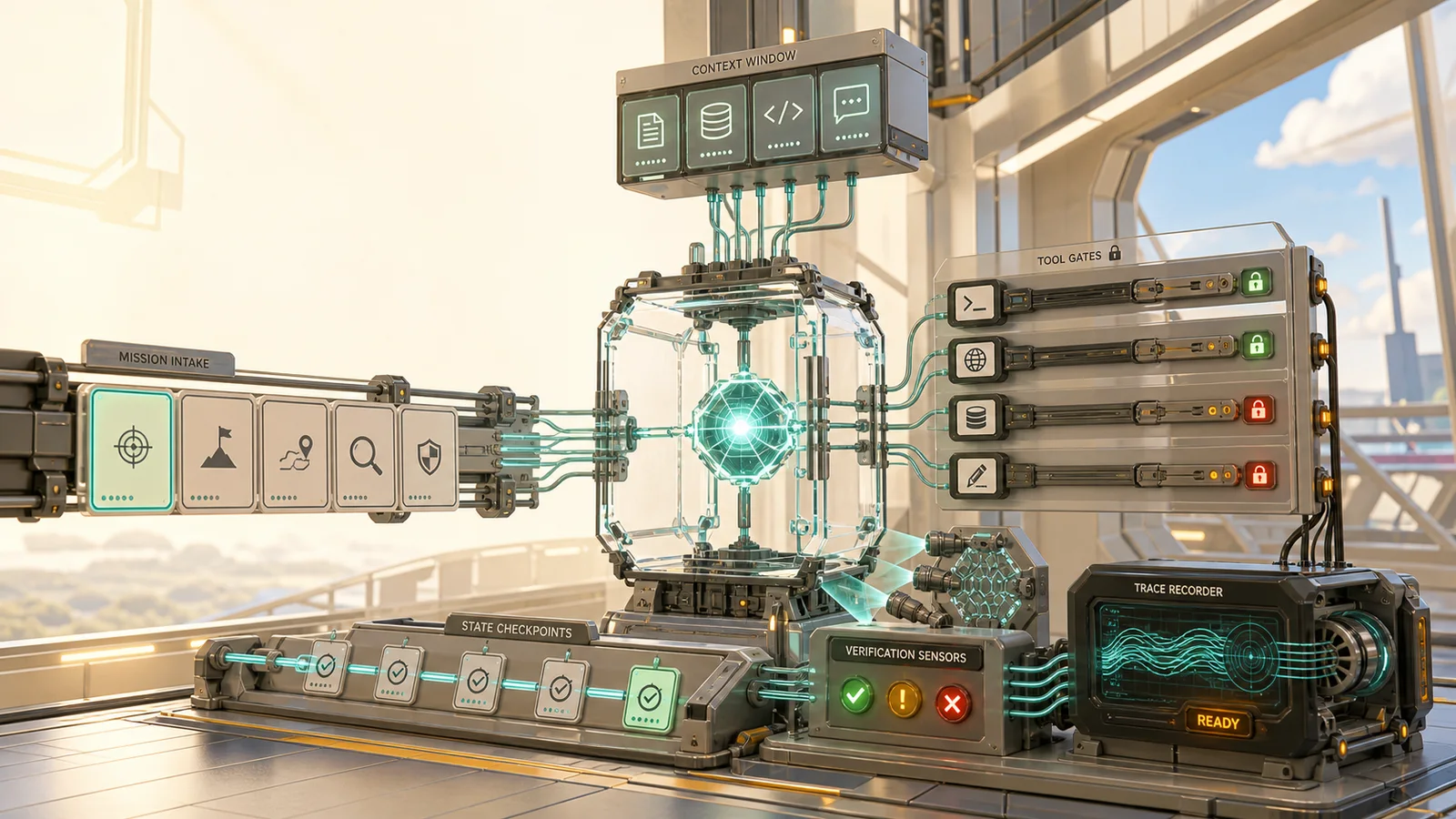
There is a mission card. There are windows into the environment. There are tool controls, safety gates, budget meters, state checkpoints, a verification lane, and a recorder capturing every meaningful event. Somewhere, a human can pause the run before the agent deploys a “minor cleanup” to production.
That is a good harness mental model:
Mission card  -> what this episode is trying to accomplish
Windows       -> what the model can see
Controls      -> what the model can do
Flight loop   -> how the run proceeds and stops
State         -> what survives between steps
Safety gates  -> what must be checked before trust
Black box     -> what proves what happened
Intervention  -> where humans or policies can steer
Different harnesses implement these pieces differently. A coding CLI, a support agent, a research workflow, and a data-analysis agent will not need identical controls. But if a harness cannot answer these questions, it may be mostly a prompt wearing a utility belt.
The Anatomy Of A Harness
A useful harness has a shape. Not every implementation names the parts this way, but the responsibilities usually show up somewhere:
Task contract
  -> context gate
  -> tool rail
  -> loop controller
  -> state store
  -> verification gate
  -> trace package
The task contract says what the episode is. It turns “help with this” into an objective, constraints, non-goals, success criteria, budget, and stop conditions. Without a task contract, the agent has no stable idea of what done means. It can only keep producing plausible next moves.
The context gate decides what enters the model call. This includes instructions, relevant files, retrieved docs, prior conversation, tool results, memory, current state, and summaries. A good context gate is not just a search step. It is judgment about what the next decision requires.
The tool rail exposes actions. It defines which tools exist, what each tool means, which arguments are valid, what permissions apply, what approval is required, and what the tool response should teach the model afterward. This is where a harness stops being a chatbot with accessories and starts becoming a controlled actor.
The loop controller owns the rhythm of work. It decides when to call the model again, when to execute tools, when to retry, when to hand off, when to compact, when to stop, and when to ask for help. This is not glamorous, but it is the part that prevents an agent from wandering the maze forever because it found a shiny stack trace.
The state store records what should survive. Some state is short-lived: current objective, active files, recent failures, pending approvals. Some state is durable: user preferences, project facts, accepted decisions, known constraints. The harness needs to know which is which.
The verification gate turns claims into evidence. It might run tests, validate a schema, inspect a screenshot, compare a diff, check a policy, request approval, or call an evaluator. The important point is that verification is part of the loop, not a flourish at the end.
The trace package records the episode in a way a human can understand later. A trace is not just “logs exist somewhere.” It should help you answer: what did the agent see, what did it do, why was it allowed, what changed, what passed, what failed, and where should we fix the system?
That anatomy matters because harness failures are often misdiagnosed as model failures. If the context gate selected stale docs, the model did not “forget” the right answer. If the tool rail exposed a dangerous action without approval, the model did not invent your permission model. If the verification gate only checked final prose, the model did not design your safety boundary.
The harness is where those decisions live.
What The Harness Owns
The first responsibility is the episode. An agent run should have a beginning, an objective, constraints, a stopping rule, and a record of completion. OpenAI’s Agents SDK makes this concrete with a Runner loop: call the model, inspect whether it produced final output, hand off if needed, execute tool calls, append tool results, and continue until completion or a max-turn limit.
That loop is not a minor implementation detail. It decides whether the agent keeps trying, stops early, repeats itself, hands work away, or declares victory.
The second responsibility is visibility. The harness decides what the model receives: instructions, prior messages, retrieved context, tool outputs, memory, files, state, summaries, and handoff history. This is where context engineering becomes operational. The harness should not pour the entire warehouse into the context window, or starve the model of the one constraint that matters.
The third responsibility is capability. Tools are model-visible affordances, not just backend functions. OpenAI’s tool docs describe function tools with names, descriptions, JSON schemas, invocation handlers, typed arguments, and validation constraints. Anthropic’s agent-loop docs show the same concern from another angle: tools let the agent act, while permissions decide which calls run automatically, which are blocked, and which require approval.
The harness should make useful actions easy, risky actions explicit, and impossible actions actually impossible.
The fourth responsibility is state. Longer agent work needs more than chat history. LangGraph’s persistence docs distinguish checkpointed thread state from longer-lived stores. Checkpoints help a thread continue, resume after interruption, support human-in-the-loop workflows, and recover from failure. Stores hold durable information across threads.
Good harnesses make this state inspectable. Bad harnesses hide it until debugging feels like reading smoke signals from a failed tool call.
The fifth responsibility is verification. An agent that can act needs a way to learn whether the action worked. Tests, validators, schemas, evals, render previews, row counts, dry runs, and human approvals all belong here.
OpenAI’s guardrail docs are useful because checks have locations. Input guardrails run at the start. Output guardrails run on the final answer. Tool guardrails run around custom function-tool calls. If the dangerous thing is a file edit, database write, refund, shell command, or outbound email, put the gate where the side effect happens.
The sixth responsibility is observability. When an agent fails, “the model messed up” is not a diagnosis. The harness should let you reconstruct the episode: which input arrived, what context was selected, which tools were exposed, what they returned, which guardrails fired, what state changed, and why the run stopped.
OpenAI’s tracing docs describe built-in traces for model generations, tool calls, handoffs, guardrails, and custom events. The exact tracing product matters less than the principle: the harness should produce an episode record that can be debugged, reviewed, and improved.
A Small Example: The Migration Agent
Imagine an agent helping with a database migration. A thin harness might look like:
Prompt: "Add customer_timezone."
Tools: all repo tools, shell access, maybe database access
Stop rule: model says it is done
Verification: vibes, maybe a summary
Trace: final answer
That can work if the sidewalk is merciful. A stronger harness turns the same task into a controlled episode:
Mission:
  Add customer_timezone without breaking old mobile clients.

Constraints:
  Field remains nullable for two deploys.
  Do not modify legacy subscription flow.

Visibility:
  Recent schema, migration conventions, failing tests, API handlers.

Controls:
  Read/search allowed.
  File edits allowed inside migration/API/test paths.
  Shell commands limited to test/build commands.
  Production database tools unavailable.

State:
  Record decisions, touched files, rejected approaches, test results.

Verification:
  Run migration tests, API compatibility tests, and old-client fixture.

Intervention:
  Ask before changing public API contract.

Trace:
  Capture tool calls, file diffs, test output, and final verification report.
The model may be identical. The task may be identical. The harness changed the reliability surface: useful context, narrower affordances, preserved compatibility constraints, and a definition of done based on checks rather than a satisfying sentence.
That is the difference between a demo and an engineering system.
What A Harness Spec Looks Like
You do not need to start with a giant platform. A harness can begin as a clear spec for one class of work.
For the migration agent, the useful design artifact might look like this:
episode:
  objective: Add customer_timezone safely.
  success: Migration, API compatibility, and old-client tests pass.
  stop:
    - success criteria met
    - max_turns: 18
    - blocked_on_missing_product_decision

context:
  always_include:
    - migration conventions
    - API compatibility policy
  retrieve:
    - files touched by similar migrations
    - failing test output
  exclude:
    - production secrets
    - unrelated historical migrations older than current schema style

tools:
  allowed:
    - search_repo
    - read_file
    - edit_file
    - run_tests
  restricted:
    shell:
      allow_patterns:
        - npm test *
        - npm run lint
    database:
      mode: unavailable

state:
  preserve_each_turn:
    - current hypothesis
    - decisions made
    - files touched
    - failed commands and outputs
    - pending approvals

verification:
  required:
    - migration tests
    - API compatibility tests
    - old-client fixture
  human_approval:
    - public API contract changes

trace:
  record:
    - selected context
    - tool calls and results
    - state updates
    - guardrail decisions
    - final verification evidence
This is not meant to be a universal config format. It is a thinking tool. You could implement it with OpenAI’s Agents SDK, LangGraph, a coding-agent CLI, a homegrown runner, or a very boring queue worker wrapped around model calls.
The point is that each field forces a harness decision.
If exclude is empty, you may be letting unrelated or sensitive context leak into the run. If restricted is empty, your tool permissions may be wishful thinking. If verification.required is empty, done probably means “the model felt done.” If trace.record is vague, tomorrow’s failure review will become a guessing game.
This is also where agent design becomes less mystical. A harness is not one magical feature. It is a set of ordinary software boundaries around an unusual worker.
What To Look For In A Harness
Start with six questions.
1. Who Owns The Episode?
Look for explicit task boundaries, run IDs, objectives, constraints, stop conditions, retry behavior, and budget controls. If the only stop condition is “the model stops talking,” the harness is outsourcing control to the least deterministic part of the system.
2. What Can The Model See?
Good harnesses make context selection visible and adjustable. You should know how instructions, memory, files, retrieval, tool results, and summaries enter the model call, and ideally inspect what was sent on a given turn.
3. What Can The Model Do?
Tooling should be scoped, described, schema-backed, and permissioned. Look for approval flows, read-only hints, side-effect boundaries, command restrictions, and model-readable rejection messages.
4. What State Survives?
Sessions, checkpoints, task plans, scratchpads, memory stores, and trace summaries preserve different things. Ask what survives compaction, interruption, handoff, retry, and process restart. Also ask how a human can inspect or edit that state.
5. What Proves Progress?
Harnesses should connect agents to reality. Tests, typed outputs, validators, evals, screenshots, diff checks, policy gates, and approvals turn “I think this is done” into evidence. Prefer verification inside the loop, not in a ceremonial final paragraph.
6. What Trace Lets Us Fix It?
A good trace is not a bucket of logs. It is a story of the episode: context selected, tools offered, decisions made, tool results observed, checks passed or failed, interventions recorded, final answer produced. If you cannot attribute failure, you cannot improve the harness.
Thin Wrapper Or Real Harness?
Here is the quick smell test.
| Question | Thin wrapper answer | Real harness answer |
|---|---|---|
| What starts the work? | A prompt. | A task contract with objective, constraints, and stop conditions. |
| What does the model see? | Whatever the chat history and prompt include. | Selected context, retrieved evidence, scoped memory, and inspectable inputs. |
| What can it do? | A broad tool list. | Permissioned tools with schemas, approval rules, and useful error messages. |
| What survives? | The transcript, maybe. | Checkpoints, state fields, decisions, evidence, and pending actions. |
| What proves done? | The final answer sounds right. | Tests, validators, evals, approvals, or other explicit checks. |
| What happens when it fails? | Someone reads the chat and guesses. | A trace explains context, actions, checks, state, and failure point. |
This is not a purity test. Thin wrappers are fine for small, reversible, low-risk tasks. If an agent is drafting a throwaway summary, you may not need checkpointing, permissions, and a cockpit full of gauges.
But as soon as the agent can change files, call APIs, spend money, touch customer data, run for many turns, or make decisions someone will rely on, the harness matters more than the prompt. The prompt says what good behavior looks like. The harness makes good behavior easier, bad behavior harder, and failure easier to investigate.
Grounds For Concern
The weakest harness is the prompt-only harness: a big instruction blob, a huge tool list, no durable state, no permission model, no verification, and no trace.
The second failure mode is the magic harness: planning, memory, tools, routing, retries, and confidence meters, but no inspectable explanation of how they work.
The third failure mode is misplaced safety. Final-output checks are useful, but they do not undo a bad side effect. If the agent sends the email or edits twenty files before the check runs, the check is archaeology.
The fourth failure mode is confusing opinion with capability. Opinionated harnesses are great when their defaults match your workload, and expensive when you need different loop control, state shape, security boundaries, or verification semantics.
Barista’s Tip: Read The Harness From The Outside In
Do not start by asking which model it supports.
Start by tracing one real task from the outside in:
1. What starts the run?
2. What objective and constraints are recorded?
3. What context is selected for turn one?
4. What tools are visible, and under what permissions?
5. What state changes after each tool result?
6. What can pause, stop, retry, or escalate the loop?
7. What check decides whether the work is acceptable?
8. What trace would help you debug a bad run tomorrow?
Then ask which model should sit inside that system.
That order matters. A stronger model inside a weak harness can still make untraceable, over-permissioned, unverifiable mistakes. A good harness keeps capable models attached to task boundaries, evidence, and recovery paths.
The Last Sip
Agent harnesses are where the romance of autonomous agents meets the ordinary discipline of software engineering. The harness owns the episode. It curates what the model sees. It scopes what the model can do. It preserves state. It places checks. It records evidence. It gives humans and policies somewhere to intervene.
That is not glamorous in the demo-video sense. It is better than glamorous. It is debuggable.
So when you look at an agent system, do not only ask how smart the model is or how charming the prompt sounds. Ask what surrounds it.
Because in real work, the agent is only as trustworthy as the harness that turns its guesses into controlled, observable, verifiable action.
Sources On The Counter
- AI Harness Engineering is the clearest research source for treating agent capability as a model-harness-environment system rather than a model-only property.
- Agentic Harness Engineering supports the practical point that harness structure, especially tools, middleware, observability, and memory, can matter more than prompt prose.
- LangChain’s frameworks, runtimes, and harnesses docs are useful for separating frameworks, runtimes, and opinionated harness layers.
- OpenAI’s Agents SDK running agents docs show the runner loop, max-turn behavior, run configuration, input shaping, tracing, and tool execution controls.
- OpenAI’s tools, guardrails, and tracing docs ground the sections on affordances, checks, and episode records.
- LangGraph persistence and interrupts are practical references for state survival, resumption, and human-in-the-loop intervention.
- Anthropic’s Claude Code agent-loop docs are a concrete coding-agent reference for tool permissions, tool execution behavior, and loop controls such as turns and budgets.